
VMLite VNC Server4.0.0 - Google Play
You'll be able to see results in few seconds.
Publisher Description
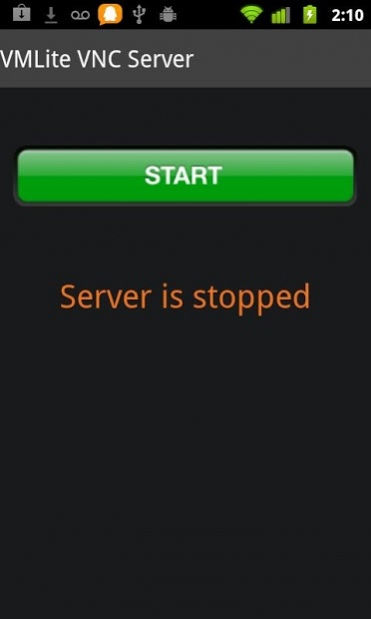
THE FIRST AND ONLY VNC SERVER WITHOUT ROOT REQUIREMENT
Our app supports Amazon Fire TV very well.
If you use cracked version, it simply won't work, so please do not rely on those testing results. Cracked version will silently quit without any messages.
VMLite VNC Server allows you to remotely view and control your android phone or tablet from a desktop computer or from another mobile device using the popular VNC protocol.
This app works on rooted and non-rooted android devices. However, for non-rooted devices, every time after turning the device completely off and on, you will have to connect your device to a Windows PC or Mac using a USB cable, then run a free desktop program, VMLite Android App Controller, to start the server on your device. Once the server is started, you can disconnect your device. If you don't turn your device off (but just let it "sleep"), then the server will continue running for months, if desired.
You can download our desktop program using this link:
http://www.vmlite.com/vaac/
If you can't start the server on your device, e.g., S3, Nexus 7/10, try to change to Camera Device(PTP), instead of Media Device(MTP).
FEATURES:
- no need to root your android devices
- supports WIFI and USB connections. Coming soon: 3G/Internet/P2P access from any firewalls w/o any configuration.
- supports WIFI hotspot in case there is no WIFI and no USB connection. You can turn on your android device's Tethering and portable hotspot, so your PC or another device can connect.
- works on API level 7 and above up to 28, including Eclair, Froyo, Gingerbread, ICS and Jelly Beans, Nougat, Oreo, Pie, up to Android 9.0.
- supports ARM, MIPS and x86 devices.
- supports typical VNC clients, TightVNC, Real VNC, etc.
- supports Java enabled browsers. You can connect to the android device from a browser using a Java applet
- supports HTML5 compatible browsers, you can connect to your android device without any other installations
- supports auto rotation and remote rotation
- supports navigation bar at bottom with special key, Home, Back, Menu, etc.
- supports reverse connections to vnc viewers running in listening modes
- supports VNC password
- supports scale and rotation
- two-way clipboard support (text only)
- full mouse and keyboard control
- supports special keys, such as Home, Back, Menu, Search, Power, etc.
- supports long press keys, e.g., you can press and hold the search key
- supports mouse wheel
- supports swipe/fling gestures
- auto turn on screen when you press any key from VNC client
- supports start on boot for rooted devices
Roadmap
- pinch/zoom gestures from hot keys
- firewall friendly, 3G/Internet access, peer to peer access
- performance improvement
- touch aware clients on mobile devices
- RDP server
- audio redirect support
- peer to peer voice/text chat
- remote phone calls
FORUM:
http://www.vmlite.com/index.php?option=com_kunena&Itemid=158&func=showcat&catid=20
About VMLite VNC Server
The company that develops VMLite VNC Server is VMLite Corporation. The latest version released by its developer is 4.0.0.
To install VMLite VNC Server on your Android device, just click the green Continue To App button above to start the installation process. The app is listed on our website since 2018-11-15 and was downloaded 0 times. We have already checked if the download link is safe, however for your own protection we recommend that you scan the downloaded app with your antivirus. Your antivirus may detect the VMLite VNC Server as malware as malware if the download link to com.vmlite.vncserver is broken.
How to install VMLite VNC Server on your Android device:
- Click on the Continue To App button on our website. This will redirect you to Google Play.
- Once the VMLite VNC Server is shown in the Google Play listing of your Android device, you can start its download and installation. Tap on the Install button located below the search bar and to the right of the app icon.
- A pop-up window with the permissions required by VMLite VNC Server will be shown. Click on Accept to continue the process.
- VMLite VNC Server will be downloaded onto your device, displaying a progress. Once the download completes, the installation will start and you'll get a notification after the installation is finished.
Program Details
System requirements
Download information
Pricing
Version History
version 4.0.0
posted on 2018-11-15
v4.0.0: Nov-15-2018
support android 8.0, 8.1 and 9.0
version 3.1.0
posted on 2017-03-19
v3.1.0: Mar-19-2017
support android 7.1
fix APK Tampered error on rooted devices
v3.0.4: Mar-16-2017
support android 7
v2.3.4: Aug-21-2015
support Android M
v2.2.4:Apr-17-2015
(1) Support Android 5.1.0
(2) fix Android 5.0 screen flickering issue
v1.4.4: Nov-2013
(1) Add support for the latest Android 4.4 version (KitKat)
(2) add screen scaling of 0.33
v1.0.0: initial version, Aug 9, 2012
version 2.3.4
posted on 2015-08-21
v2.3.4: Aug-21-2015,support Android M,v2.3.2:July-21-2015,fix a crash when playing DRM protected screens.,v2.2.4:Apr-17-2015,(1) Support Android 5.1.0,(2) fix Android 5.0 screen flickering issue,v1.4.4: Nov-2013,(1) Add support for the latest Android 4.4 version (KitKat),(2) add screen scaling of 0.33,v1.0.0: initial version, Aug 9, 2012
version 1.2.0
posted on 2013-05-13
Several fixes and updates
Disclaimer
Official Google Play Link
We do not host VMLite VNC Server on our servers. We did not scan it for viruses, adware, spyware or other type of malware. This app is hosted by Google and passed their terms and conditions to be listed there. We recommend caution when installing it.
The Google Play link for VMLite VNC Server is provided to you by apps112.com without any warranties, representations or guarantees of any kind, so access it at your own risk.
If you have questions regarding this particular app contact the publisher directly. For questions about the functionalities of apps112.com contact us.
